Portion estimation that shows its assumptions
Portion size is usually the biggest driver of a meal's calories. BiteMeasure estimates how much of each food is on your plate, tells you what it assumed, and lets you correct grams or ounces in seconds.
7-day free trial · iOS & Android
How visual portion estimation works
- 1
Find a scale cue
The AI looks for something of known size: the plate or bowl, a utensil, a hand, packaging, or whole pieces it can count, like eggs, slices, or dumplings. - 2
Estimate the amount
Countable foods are counted. For rice, soup, smoothies, and other loose foods, it estimates the container's size and how full it looks. - 3
Convert to weight
The amount becomes an estimated weight using typical serving weights for that food, which then drives the calorie and macro estimate. - 4
Say what it assumed
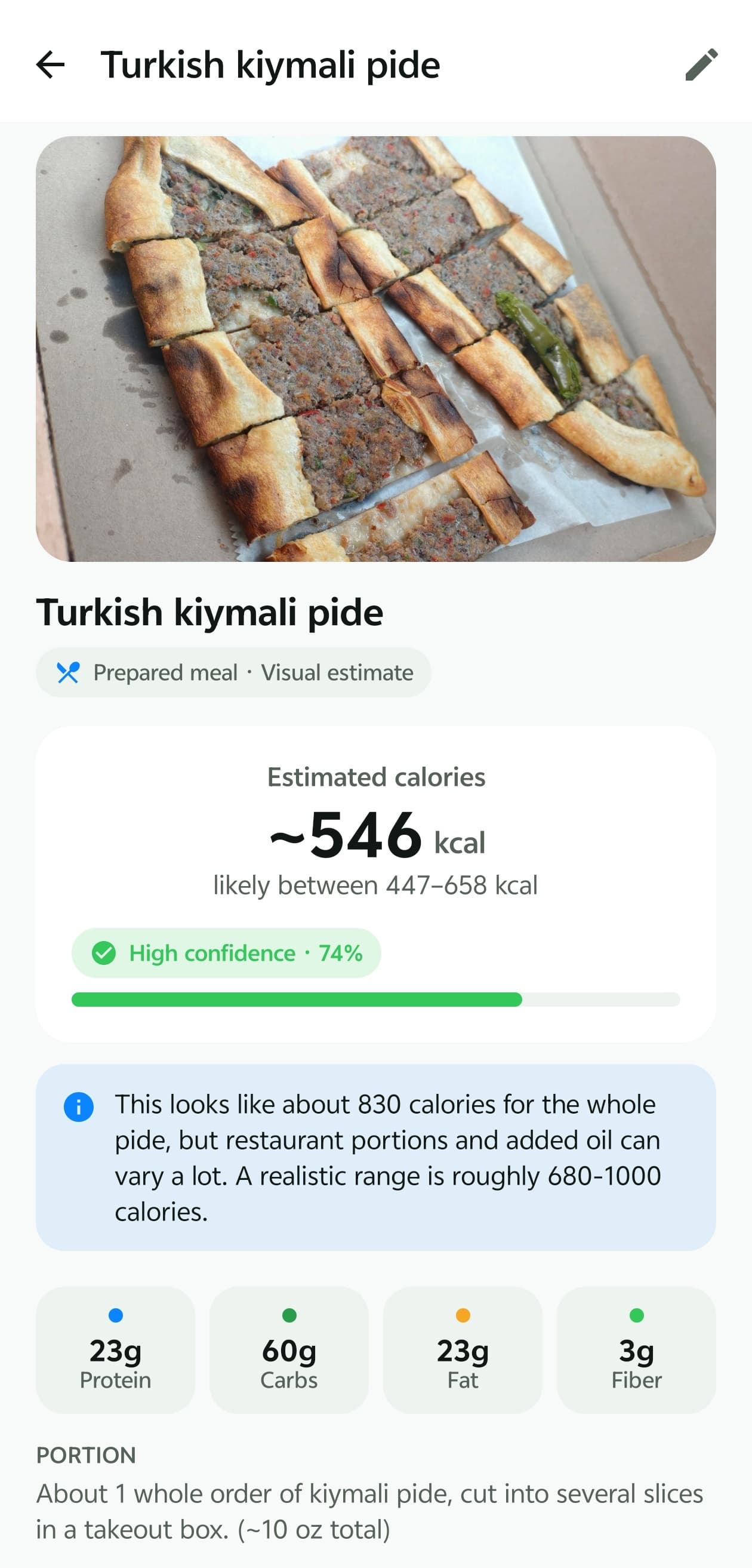
The result includes a portion summary — for example, “about 1 whole order, cut into several slices (~10 oz total)”. With no useful scale cue, it assumes a standard serving and says so.
Why one photo can't give an exact weight
Estimating weight from a single image is genuinely hard, even for people. A camera captures a flat picture of a three-dimensional plate, so several things stay uncertain:
- Depth and perspective. A mound of rice and a thin layer can look alike from above; camera angle changes apparent size.
- Overlap. Food under other food — chicken under sauce, cheese under lettuce — is partly or completely hidden.
- Density. Fluffy and packed portions of the same food can look similar but weigh very differently.
- Plate size. Dinner plates vary widely, so “half a plate” isn't a fixed amount without a reference.
- Cooked versus raw. Cooking changes weight — rice and pasta absorb water, meat loses it — so calories per gram depend on the state of the food.
Correcting a portion: grams, ounces, and what changes
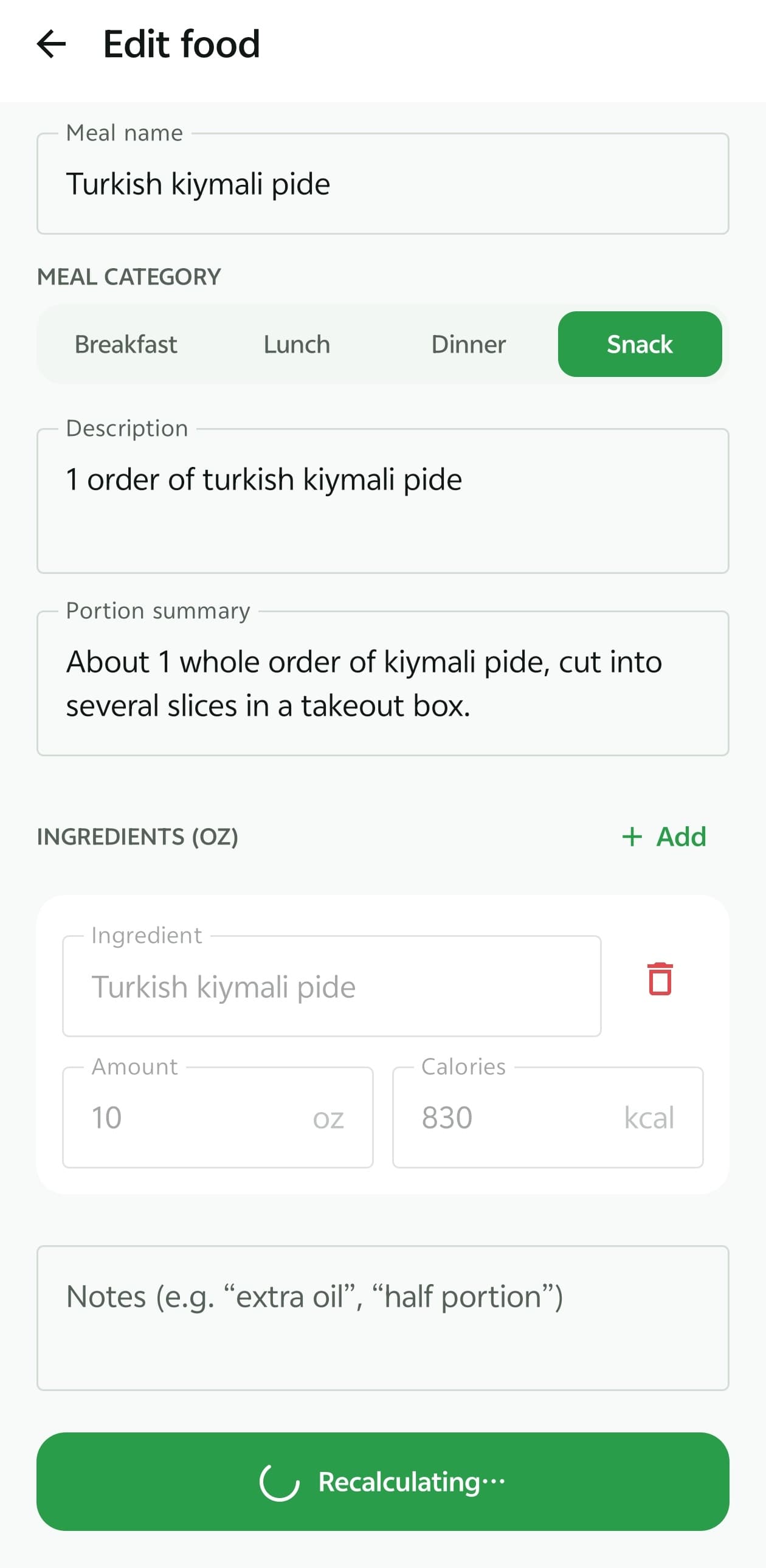
Open any logged food and you can change the amount of each ingredient, switch the display unit between grams and ounces, add or remove ingredients, and add notes like “extra oil” or “half portion”.
Tap recalculate and BiteMeasure recomputes calories and macros from your amounts. The numbers you enter are treated as more reliable than the AI's visual guess, so a quick correction meaningfully improves the entry — and your daily totals update with it.
Practical examples
Some foods are consistently harder to judge from a photo. A small input fixes most of them.
| Food | Why it's tricky | Quick fix |
|---|---|---|
| Rice, pasta, grains | Mounded and flat portions look similar from above | Say “1 cup cooked” or weigh once |
| Salads | Dressing sinks under the leaves | Mention how many tablespoons |
| Nuts and nut butters | Small volume, many calories | Use a spoon or scale and enter it |
| Soups and smoothies | The container's depth isn't visible | Note the size, e.g. “16 oz cup” |
| Pizza, flatbread, pide | Slice size varies by restaurant | Count slices and mention the size |
| Meat on the bone | The bone adds weight but no calories | Say “bone-in” or “boneless” |
When weighing beats estimating
Photo estimates are built for speed and everyday consistency. If you need more precision — for calorie-dense foods you eat daily, or a structured plan from a dietitian — a kitchen scale will always be more accurate. Weigh the food, enter the grams in BiteMeasure, and the rest of the tracking still works the same way.
You can also see how portions feed into your daily numbers on the macro tracking page.
Frequently asked questions
Can BiteMeasure weigh my food from a photo?
Not exactly. It estimates the amount from visual cues and tells you what it assumed. A single photo can't measure depth, density, or what's hidden underneath, so if you need an exact weight, a kitchen scale is the right tool — then enter the grams in the app.
Should I use grams or ounces?
Whichever you prefer. You can switch the display unit when editing a food, and the app converts between them.
What happens when I change an amount?
BiteMeasure recalculates that item's calories and macros from the amount you entered, and the meal total updates. Amounts you enter take priority over the AI's visual estimate.
Why did it assume a “standard serving”?
When the photo has no useful size cue — no plate edge, utensil, or package to compare against — the AI falls back to a typical serving, says so in the portion summary, and keeps its portion confidence low. That's your cue to check the amount.
Does putting something next to my plate help?
Yes. A fork, spoon, your hand, or the edge of a standard plate gives the AI a scale reference, which is one of the strongest cues it uses.
Explore more of BiteMeasure
- Food Photo Analysis
Estimate calories and macros from a meal photo, with a likely range and a confidence score.
- Macro Tracking
Track calories, protein, carbs, fat, fiber, and water against daily targets.
- AI Nutrition Coach
Next-step guidance and food ideas based on what you've logged today.
- How AI confidence works
What confidence scores and calorie ranges mean — and what they don't.
Start measuring your meals smarter.
Download BiteMeasure and turn a quick food photo into honest, easy-to-track nutrition estimates. Available on iOS and Android.
Questions before you download? Get in touch.