How AI confidence works in BiteMeasure
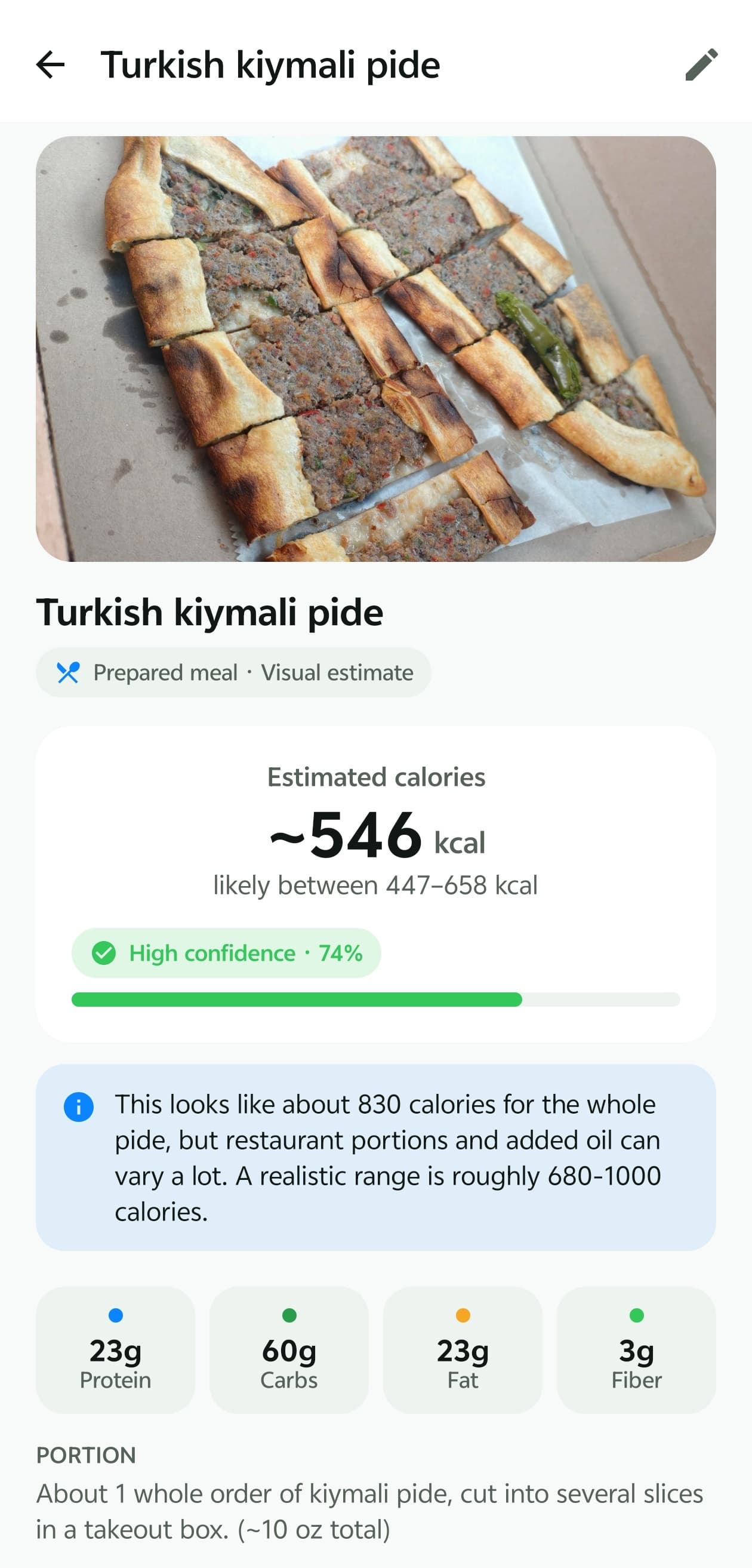
Every BiteMeasure estimate comes with a confidence score and a calorie range. Here's what those numbers mean, how they're produced, and — just as important — what they don't tell you.
7-day free trial · iOS & Android
The short version
- The confidence score is the AI's own rating of how clearly it could identify your food and judge the amount, adjusted by fixed rules in BiteMeasure.
- It is not the probability that the calorie number is correct, and it hasn't been calibrated against weighed, lab-measured meals.
- The calorie range is a practical spread that widens when portion size or hidden ingredients are uncertain. It isn't a validated statistical interval.
- Review before you log. A quick check of the items and portion is the most reliable way to improve any estimate.
Three different kinds of uncertainty
“How sure is the AI?” is really three questions, and a meal can score very differently on each.
1. Identification — what is it?
Whether the AI recognised the foods correctly. A banana or a fried egg is easy; a curry, a casserole, or a wrapped burrito is much harder because the components are mixed or hidden.
2. Portion — how much is there?
Even when the food is obvious, its weight isn't. Plate size, depth, and camera angle all affect how big a portion looks. Why portions are hard to judge.
3. Nutrition — what's in it?
Recipes vary. Cooking oil, butter, dressings, sugar, and frying add calories that are often invisible, and restaurant portions differ from home cooking.
Where the confidence score comes from
- 1
The AI rates its own certainty
As part of each analysis, the AI model returns an overall confidence, a confidence for each detected item, and a separate confidence for the portion estimate. It's instructed to lower these when a portion is assumed, when oil or sauce is unknown, or when a food can't be identified — and never to use 100. - 2
BiteMeasure applies fixed limits
Rules in the app can only lower the score, never raise it. For example: a photo with no description or label can't score above 85%; likely hidden fats cap high scores; the overall score can't run far ahead of the portion confidence; an unidentified food stays very low; and if the calories and macros don't add up, the score is capped and the result flagged for review. - 3
You see a number and a label
The app shows the score with a High, Medium, or Low label and a bar, so you can tell at a glance which results deserve a closer look.

What the calorie range means
The range is BiteMeasure's answer to “how far off could this be?”. The AI proposes a range for each item and for the meal, then fixed rules make sure it's never unrealistically narrow: the minimum width grows when there's only a photo, when hidden fat is likely, or when the portion is uncertain. The meal's range also spans the ranges of its individual items.
It's a practical spread, not a statistically validated confidence interval, so the true value can occasionally fall outside it. A wide range is useful information: it tells you an extra detail — the oil, the portion — would change the answer the most.
What the AI can't reliably determine
- Oil, butter, or sugar added during cooking that leaves no visible trace.
- Ingredients hidden under other food, inside wraps, or blended into sauces.
- An exact weight from a single camera angle.
- The specific recipe or brand of a restaurant or packaged dish without a label.
- The sugar or fat content of drinks and smoothies from colour alone.
- Whether you finished everything on the plate.
When these are likely to matter, BiteMeasure asks a follow-up question — for example, how much of a food you ate, or whether extra oil was added — rather than quietly guessing.
How to get a more reliable estimate
- Photograph the whole plate in good light, with a fork or your hand for scale.
- Add a short description: cooking method, oil or sauce, and how much you ate.
- Answer follow-up questions — they target the biggest sources of error.
- Use Nutrition Facts Assist for packaged foods.
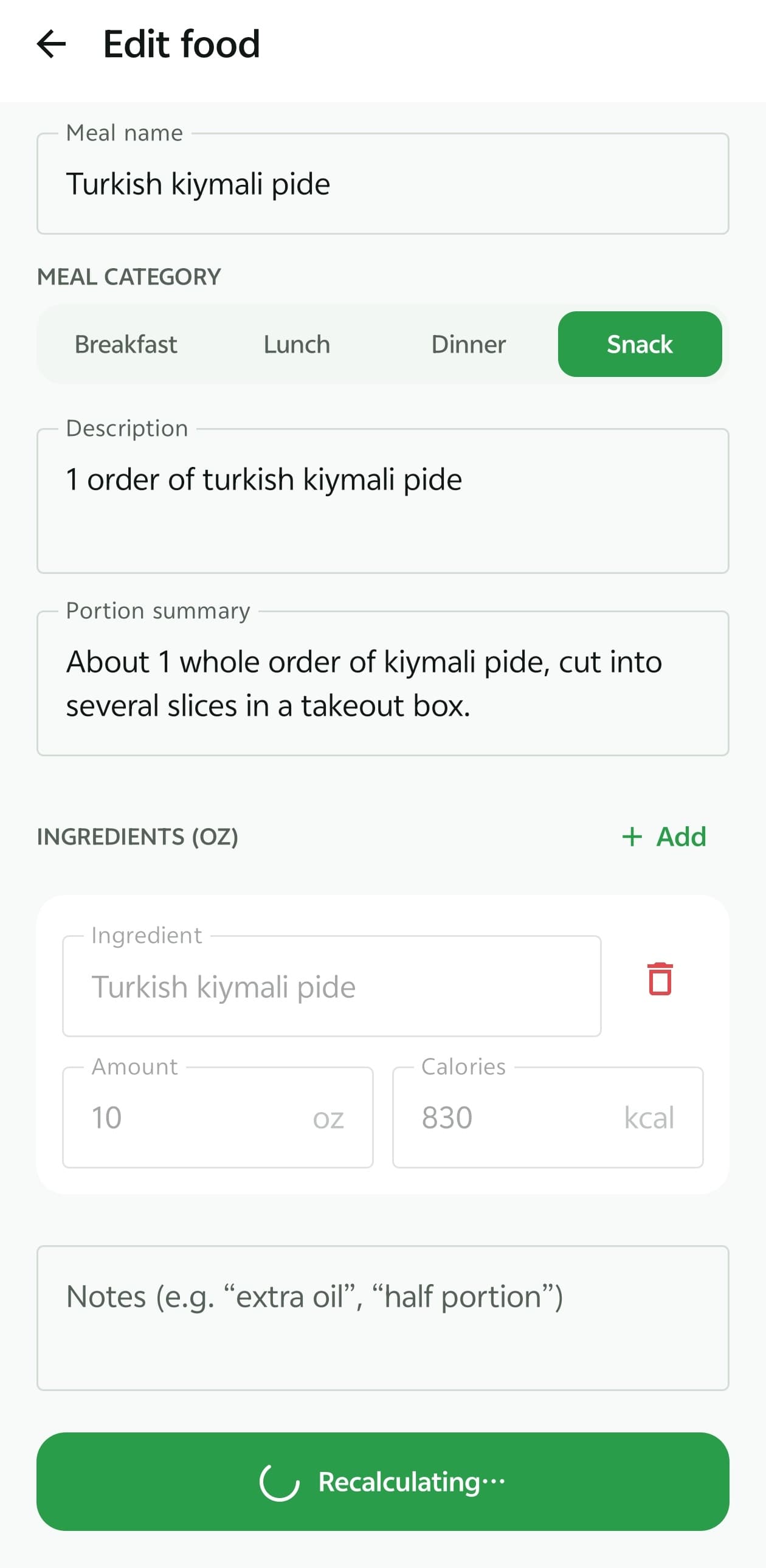
- Correct amounts in grams or ounces, then recalculate.
Information you provide is treated as more reliable than the AI's visual guess, so even one correction meaningfully improves the entry. How the calorie estimator works.
Frequently asked questions
Does 82% confidence mean the calories are 82% accurate?
No. The score is the AI's own rating of how clearly it could identify the food and judge the amount, capped by BiteMeasure's rules. It isn't a probability that the calorie number is correct, and it hasn't been calibrated against weighed meals.
Why is confidence never 100%?
Because no photo-based estimate is certain. BiteMeasure caps scores below 100 by design, and caps them lower when only a photo is available or hidden fats are likely.
Can the confidence be high while the calorie range is wide?
Yes. A dish can be easy to recognise while its cooking oil or portion is still uncertain. Identification and quantity are different problems, so read the score and the range together.
Is the calorie range a 95% confidence interval?
No. It's a practical spread that BiteMeasure widens when unknowns are likely. It hasn't been statistically validated, so the true value can sometimes fall outside it.
Has BiteMeasure published accuracy studies?
Not at this time, so we don't quote accuracy percentages. If we publish validation results in the future, they'll be linked from this page.
Explore more of BiteMeasure
- Food Photo Analysis
Estimate calories and macros from a meal photo, with a likely range and a confidence score.
- Portion Estimation
How BiteMeasure estimates how much food is on the plate, and how to correct it.
- Macro Tracking
Track calories, protein, carbs, fat, fiber, and water against daily targets.
- AI Nutrition Coach
Next-step guidance and food ideas based on what you've logged today.
Start measuring your meals smarter.
Download BiteMeasure and turn a quick food photo into honest, easy-to-track nutrition estimates. Available on iOS and Android.
Questions before you download? Get in touch.